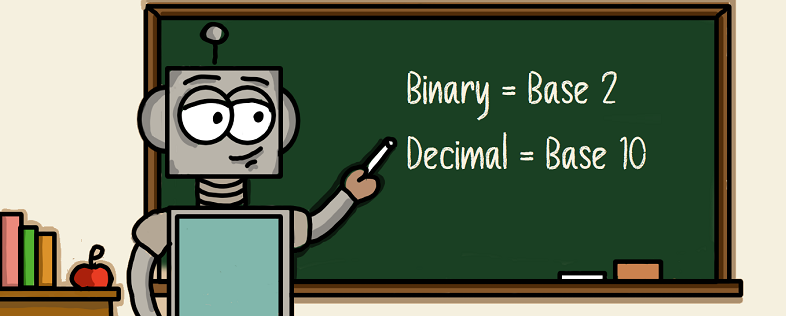
If there is one subject that seems to upset computer science students, it's binary. I have no idea why. But even the mention of it sends people running from classrooms.
The argument I hear a lot (not literally of course, I am deaf) is
“Why does it matter?”
To be fair, it's a good point. No one sits down these days and writes code in binary. After all, it would take forever for something even close to today's games.
- Hello World in Z80 Binary
No one is busy writing the next generation full immersion 4k graphics in 1s and 0s even though RockStar seems to be taking that long. So why does it matter?
It probably doesn’t, not to most people, they are happy the computer works and that's the end of it. But if you really want to be a computer science type person (technical term) then you should at least understand the basics. In the same way, a doctor should know the basics of how the body works even if they only deal with one aspect; a computer science student should understand binary.
The funny thing is, it's actually not that hard to understand. If you can count to 10, you can figure out binary.
What is binary?
Binary is a Base 2 counting system.
Calm down, it’s nothing bad, just breath. You see you, me, I would imagine most of the planet count using a Base 10 system. We call it Decimal (or, if you want to be very posh, denary; don’t worry, they all mean the same thing). This means there are 10 digits that can be used:
When you reach 9 and run out of digits, you just start the pattern again going 0 to 9, but you need some way of recording that you have already reached 9; otherwise, you will just be counting to 9 over and over again. So we need to put a mark somewhere. Thankfully, we have position columns. The first position is called units so the digits 0 to 9. The next position is for tens so in that position we put the marks for how many tens we have.
| TENS | UNITS |
|---|---|
| 1 | 0 |
| 1 | 1 |
| 1 | 2 |
| 1 | 3 |
| 1 | 4 |
| 1 | 5 |
| 1 | 6 |
| 1 | 7 |
| 1 | 8 |
| 1 | 9 |
Then, when you hit the next 9, you need to record you have hit another ten so you add another 1 to the TENS column, and you get:
| TENS | UNITS |
|---|---|
| 2 | 0 |
| 2 | 1 |
| 2 | 2 |
| 2 | 3 |
It's a simple system and when I was at school, this was called:
When you reach 9 with the tens, you move to a new position column the HUNDREDS and start recording there.
| HUNDREDS | TENS | UNITS |
|---|---|---|
| 1 | 0 | 0 |
| 1 | 0 | 1 |
| 1 | 0 | 2 |
| 1 | 0 | 3 |
This can continue for as long as you like. Each time you reach 9 on a position column you simply create a new column. So you might end up with Thousands, Hundreds, Tens and Units or even more depending on how far you have counted.
We count like this because 10 is a good number for humans. We have 10 fingers, 10 toes; it makes sense that 10 would be our go-to number. Had we evolved with 12 fingers and toes, we would no doubt have adopted a base 12 number system.
Binary Is Also Cool
Binary works in the same way that decimal works, the only difference is the number of digits you can use. Binary is Base 2 so we can easily deduce that there are two digits to use.
So let's count in binary.
That was quick, so what do we do when we reach 1? The same thing we did with the decimal numbers. We add a 1 to the next position column and start again.
And so each time we hit 1, we move it along.
The only real difference between Binary and Decimal is there are less digits.
“111, what number is that?”
This always causes a problem and I think it is the main reason people struggle with Binary. Show them a binary number such as
And you get asked, “What number is that then?”. The answer is 111 because it is a binary number. You have to think of it a bit like a translation in language. If I said to you “Bonjour” you might ask “What does bonjour mean?” but Bonjour means Bonjour because I was speaking french. The question you should be asking is “What does bonjour mean in English”.
That is the same with binary. When I say that the answer is 111 in binary you should be asking:
“What is the decimal equivalent of the binary number 111”
It might sound pedantic, but it really isn't meant to be. But people get very hung up on “what number is it though” rather than “what is it in decimal”.
I am not suggesting that the next time you are buying a drink, ask which base system they are using, although when the London coffee shops charge £11 for a coffee it might be worth checking.
SubScript
When you are working with different number bases it is a good idea to let people know which system the number you are writing belongs to and for this we use Subscript.
Notice the cute little numbers? They are the subscript which tell us what base we are talking in. It’s a useful system and when talking in multiple bases it is a really good idea to use them otherwise it will get confusing fast!
Converting Binary to Decimal
The next obvious question, of course, is how do you convert Base 2 to Base 10? Well, it’s actually really easy.
Let's start by putting the binary number down in a position table
| 1 | 1 | 1 |
|---|
We need to name the positions:
| 4 | 2 | 1 |
|---|---|---|
| 1 | 1 | 1 |
Now all we need to do is add up the position numbers that contain a 1 which is this case is all of them so we have 1 four, 1 two and 1 one which is:
I will give you a longer binary number: 10110101
| 128 | 64 | 32 | 16 | 8 | 4 | 2 | 1 |
|---|---|---|---|---|---|---|---|
| 1 | 0 | 1 | 1 | 0 | 1 | 0 | 1 |
With the longer binary number, you should be able to spot the obvious pattern with the position names. They double the previous number; that's the beauty of binary for me, it makes it so easy to remember.
So we have:
How easy is that!
Converting Decimal to Binary
Naturally when you are converting from Binary to Decimal you will at some point want to convert the other way. Thankfully it isn’t too long winded.
Lets say are decimal number is 76. First we need to work out how big a Binary number this will be. To do this we count how many positions 76 fits. The closest binary position for 76 is 64 (7th Position) so we can start at the next position across which is 128 (8th position).
Now we just need to ask some questions.
Does 128 fit inside 76? The answer is no so that gives us a 0.
Does 64 fit inside 76? Yes it does and leaves 12 (76 - 64 = 12), so we put a 1 in the 64 position and our new number to work on is 12.
| 128 | 64 | 32 | 16 | 8 | 4 | 2 | 1 |
|---|---|---|---|---|---|---|---|
| 0 | 1 |
Now the next sum does 32 fit inside 12? No, so that gives us a 0.
| 128 | 64 | 32 | 16 | 8 | 4 | 2 | 1 |
|---|---|---|---|---|---|---|---|
| 0 | 1 | 0 |
Does 16 fit inside 12? No, so that gives us a 0.
| 128 | 64 | 32 | 16 | 8 | 4 | 2 | 1 |
|---|---|---|---|---|---|---|---|
| 0 | 1 | 0 | 0 |
Does 8 fit inside 12? Yes so that gives us a 1 and it leaves 4.
| 128 | 64 | 32 | 16 | 8 | 4 | 2 | 1 |
|---|---|---|---|---|---|---|---|
| 0 | 1 | 0 | 0 | 1 |
Does 4 fit inside 4? Yes so that gives us a 1 and it leaves 0.
| 128 | 64 | 32 | 16 | 8 | 4 | 2 | 1 |
|---|---|---|---|---|---|---|---|
| 0 | 1 | 0 | 0 | 1 | 1 |
Because there is no number left we know that the rest of the positions are filled with 0’s
| 128 | 64 | 32 | 16 | 8 | 4 | 2 | 1 |
|---|---|---|---|---|---|---|---|
| 0 | 1 | 0 | 0 | 1 | 1 | 0 | 0 |
It’s easy and quick. The most you have to do is a few quick addition calculations. There is, of course, a very mathematical way to do both conversions, which I will post here rather than in this article because I fear the minute someone sees actual maths they might simply zone out.
So now you should be able to understand binary in the sense of what is happening. Next we need to look at why computers use it rather than decimal.